
Why a Professional Restaurant Website is Essential for Business Growth
In today’s fast-paced food scene, your online presence is just as important as your dining room ambiance. Think of your website as your digital storefront; it’s the first impression hungry customers get, whether they’re browsing for dinner ideas or looking to book a table. And guess what? You don’t need to break the bank or wait months to get a site that wows.
That’s where our Top 30 Restaurant Website Templates For Fast Setup come in! Whether you’re launching a brand-new spot or giving your old site a fresh makeover, these templates are your shortcut to a sleek, functional, and mouthwatering online presence. No coding headaches, no endless delays, just plug, play, and impress.
Your website isn’t just a placeholder; it’s your story, your menu, and your biggest sales tool all rolled into one. A polished, mobile-friendly site makes it effortless for customers to find you, drool over your dishes, and (most importantly) click that “Reserve Now” or “Order Online” button.
Reading this Complete blog will help you understand how easy it is to create (or upgrade) your restaurant website — no coding, no tech headaches. Whether you’re starting from scratch or just want to give your current site a fresh new look, you’ll find practical, beginner-friendly tips and ready-to-use templates that make the whole process smooth and stress-free.
By the end, you’ll know exactly how to launch a professional online presence that brings in more customers, all without needing to hire a developer.
First Impressions Matter: Your Website as a Digital Front Door
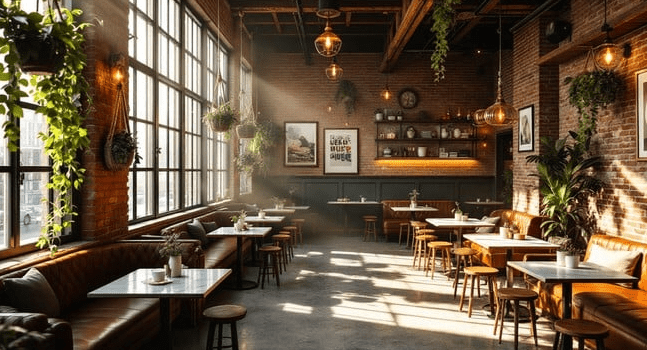
Over 75% of diners visit a restaurant’s website before making a decision. That makes your site your most important digital asset.
That’s why restaurant website templates have become such valuable tools. With the right template, even small restaurant teams can present a polished online presence that builds trust and drives bookings.
A great first impression online includes:
- A clean, modern layout that reflects your brand
- Easy access to your menu, contact details, and hours
- Seamless mobile responsiveness
- Built-in reservation or ordering features
The Link Between Fast Setup Templates and Quick Online Success
Hiring a full team to build your website isn’t always realistic, especially for independent restaurants or food startups. That’s where fast-setup restaurant website templates make all the difference. These pre-designed tools combine visual design, technical performance, and business-friendly features into a single, user-friendly package.
Top benefits of using a template:
- Built-in SEO for better local discoverability
- Mobile-optimized layout for smartphone users
- Drag-and-drop editing with no code required
- Menus, galleries, and booking forms pre-installed
Templates remove the barriers between a good idea and a live website, helping you move faster, look professional, and grow smarter.
Use Case:
Use Case: How Small Restaurants Launched Their Websites in Days with Pre-Built Templates
Federico’s Food, a small Italian restaurant, built its website using SITE123’s restaurant template. The team needed a simple, fast solution that allowed them to showcase their brand and get discovered online, without hiring a designer.
Using SITE123’s pre-built layout, they:
- Published a working site in just 3 days
- Included a digital menu, contact form, map, and gallery
- Enabled mobile-friendly browsing with no technical setup
This real-world example shows how small food businesses can launch an effective, branded website using pre-built templates, saving time and attracting customers from day one.
What Makes a Great Restaurant Website Template
Not all restaurant website templates are created equal. Some options may look appealing, but they perform poorly on mobile devices or load slowly. Others may have a clean design but lack essential business features. A truly effective template strikes the balance between visual appeal, usability, and built-in functionality that helps restaurants attract and convert customers.
The right template should help your restaurant drive results, whether that means more table bookings, online orders, or private event inquiries. It should serve your brand, support your growth goals, and reduce the need for constant maintenance or developer input.
Essential Features to Look For
When selecting a restaurant website template, it’s essential to prioritize features that directly support customer actions and enhance search engine visibility. Key qualities to look for include:
- A clear, easy-to-navigate menu layout
- A built-in reservation or booking system
- Mobile responsiveness across all devices
- SEO-friendly structure with editable meta tags and headers
- Fast load time and clean coding
- Integration with tools like Google Maps, review widgets, and social links.
- A visual gallery or slideshow to showcase your dishes and atmosphere
Templates that include integrations with platforms like OpenTable, Resy, or Tock make it easier to accept bookings without external plugins or custom development.
What Should I Look for in a Restaurant Website Template?
Focus on templates created specifically for food businesses. Generic business themes might lack essential restaurant-focused elements like allergen notes, delivery toggles, or menu filters. Using a purpose-built template means you’ll spend less time customizing and more time serving guests.
Use Case: Café Colao (Chicago, IL)
Café Colao, a Latin café located in Chicago, enhanced its online presence by switching to a restaurant-specific template from Wix. The new design included a mobile-first layout and integrated OpenTable for easy online reservations. This made it much more convenient for customers to browse menus and book a table directly from their phones.
- Result: With a cleaner layout and simplified booking experience, Café Colao saw noticeably smoother engagement from online visitors, all without the cost of hiring a developer.
Need Help Choosing the Right Template?
Even with so many restaurant website templates available, it’s not always clear which one suits your cuisine, service model, or growth goals. That’s where Rozzario’s web consultancy team can assist. From fast-casual to fine dining, we help restaurants select and customize templates that match their brand, work across devices, and convert more visitors into reservations.
If you’re unsure which platform to start with or how to connect your booking tools, Rozzario can support you at any stage from strategy to launch. No Pressure, Just Expert Help
Benefits of Using Ready-Made Restaurant Website Templates
For restaurant owners, time and budget are often in short supply. That’s where ready-made restaurant website templates offer a distinct advantage. Instead of starting from scratch or hiring a full web development team, you can use a professionally designed template to launch quickly, look polished, and serve customers online without delays.
These templates are built with restaurants in mind, meaning they already include the essential structure and tools needed for food service businesses. Whether you’re a small bistro, a food truck, or a multi-location café, templates help reduce setup friction and give you more time to focus on your operations.
Why Templates Work for Restaurants
Some of the most valuable benefits of using restaurant website templates include:
- Faster setup — most templates can go live in a matter of days
- Lower costs — no need to hire developers for basic design and layout
- Less technical complexity — most templates are easy to edit using visual builders
- Pre-built functionality — menus, image galleries, contact forms, and booking widgets are already integrated.
- Consistent branding — templates help ensure your visuals, fonts, and layout stay cohesive
- Future flexibility — many templates allow upgrades, plugin use, or design tweaks later
Modern platforms like WordPress, Wix, and Shopify now offer restaurant-specific themes that are SEO-friendly and mobile-responsive by default. That means better visibility on Google, faster load times, and a user experience that works across all devices.
Use Case: Burger & Beyond (London, UK)
Burger & Beyond is a fast-growing UK burger chain that uses a template-based layout to create a unified website experience across multiple locations. Their Squarespace-powered site features menu integration, location filters, and direct booking links — all built without a complex custom framework. The brand gained both speed and scalability through a smart template approach.
Best Platforms for Restaurant Website Templates
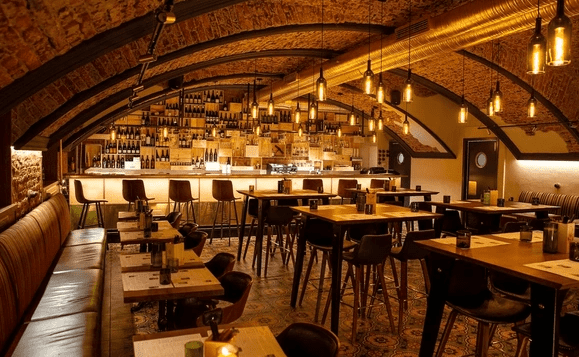
Choosing the right platform is just as important as selecting the right template. The platform defines how easily you can edit your site, what integrations are possible, and how scalable the solution is as your business grows. For restaurants, the right choice depends on how much control you need, your in-house tech experience, and whether you plan to offer e-commerce, bookings, or just a digital presence.
From visual builders like Wix to scalable systems like WordPress, restaurant owners now have powerful options to launch fast, look professional, and convert online visitors into real-world diners.
Comparison: WordPress, Wix, Squarespace, Shopify, Custom HTML
Each platform offers unique advantages — your choice depends on how much control, customization, and speed you need for your restaurant website.
Wix: Best for Quick Setup and All-in-One Simplicity
Wix is perfect for small restaurants, food trucks, or cafés that want a simple drag-and-drop builder and don’t want to deal with technical setup. It includes dedicated restaurant templates with menu modules, reservation systems, and delivery links.
Use Case: Poké Bar (Canada)
Poké Bar uses Wix’s restaurant builder to showcase their locations, offer menu previews, and enable online ordering. The layout is clean and mobile-ready, built from a base template with visual customizations.
Squarespace: Best for Visual Storytelling and Design-Forward Brands
Squarespace is ideal for boutique restaurants, bakeries, and fine dining establishments looking to tell a brand story through visuals and layout. It integrates seamlessly with OpenTable, Tock, and Mailchimp.
Use Case: Los Tacos No. 1 (New York, NY)
Los Tacos No. 1uses Squarespace to provide a consistent, minimalist layout across its growing locations. The site is clean, responsive, and built entirely from a restaurant-specific template.
Use Case: Café Kitsuné (Paris, Tokyo, New York)
Café Kitsuné uses a Squarespace-powered structure to feature its cafés across multiple cities. Visitors can browse menus, shop merchandise, and find locations — all using a modular template system.
Shopify: Best for Restaurants with Online Sales, Gift Cards, or Retail
If your restaurant sells branded items, meal kits, or products, Shopify’s e-commerce engine is unmatched. It supports menu display, POS systems, inventory management, and add-ons like loyalty programs.
Use Case: Dom’s Subs (London, UK)
Dom’s Subs uses Shopify for its sandwich shop and delivery brand. The homepage offers merchandise, order integration, and location hours — all on a Shopify template with minimal customization.
Use Case: Sugarfina (Global)
Sugarfina may be product-first, but it also integrates restaurant-style presentation and delivery options using Shopify’s commerce templates.
WordPress: Best for Flexibility, SEO, and Long-Term Control
WordPress is ideal for restaurants that need full control of layout, SEO, custom forms, third-party integrations, or multilingual content. It requires more setup but is future-proof and scalable.
Use Case: Dishoom (UK)
Dishoom uses WordPress with a custom theme based on restaurant-style templates. Their team manages bookings, locations, menus, events, and an active blog — all within a unified, content-rich platform.
Use Case: Husk Restaurant (Charleston, SC)
Husk Restaurant is built on WordPress with a template-based structure. Their menu, gallery, and reservation system are integrated using plugins like The Events Calendar and OpenTable widgets.
Custom HTML/CSS Templates: Best for Developers and Bespoke Projects
For restaurants with a technical team or agency partner, starting with an HTML5 template allows for full creative freedom. These sites load fast and can be hosted anywhere, but they require developer involvement to manage and update.
Use Case: Futura (Barcelona)
Futura uses a custom HTML template, developed with a focus on speed and clean visuals. It was built on a lightweight layout structure that mirrors many downloadable restaurant themes available on TemplateMonster or Envato.
Which platform is best for a restaurant website?
No one platform fits every restaurant — but the right one will align with your goals.
- Choose Wix or Squarespace if you want simplicity and speed.
- Go with Shopify if e-commerce or merchandise matters.
- Select WordPress if SEO, scale, or flexibility are priorities.
- Use HTML/CSS if you have tech support and want a custom layout.
Each of these real restaurants shows that with the right platform and the right template, you can go live quickly and grow consistently.
Modern Restaurant Templates for Upscale Dining & Fine Cuisine
A fine-dining restaurant doesn’t just serve food — it creates an experience. That experience starts long before a guest arrives at the table. In today’s digital-first world, your website often delivers the first impression. For upscale venues, a premium online presence is essential. It should reflect your brand’s tone, showcase the atmosphere, and guide visitors toward booking a table with ease.
That’s why selecting the right restaurant website template is critical. Upscale restaurants need templates designed for elegance, clarity, and high-impact visuals. Clean layouts, seamless reservation integrations, and space to highlight menus or chef stories all contribute to a refined user journey.
Features: Elegant Design, High-End Visuals, Reservation Integration
The following templates are designed specifically for modern, fine-dining establishments:
- Oliva – WordPress (Elementor)
Designed for chef-driven restaurants, Oliva includes visual menus, testimonials, and a mobile-responsive reservation section.
Preview - Attika – WordPress
A sophisticated layout with parallax scrolling, OpenTable booking, and curated galleries.
Preview - Juniper – Squarespace
Minimalist and bold, with high-resolution visuals and built-in booking tools.
Preview - Le Chef – Slider Revolution
Image-focused and elegant, perfect for mobile browsing with hero sliders and event modules.
Preview - Caviar – HTML (Colorlib)
A clean HTML template with a gallery, filterable menu, and built-in reservation form.
Preview
Use Case: The Clove Club (London, UK)
The Clove Club, a Michelin-starred restaurant in London, uses a refined, minimal website with structured layouts and seamless reservation functionality. The site reflects its culinary identity — focused, thoughtful, and premium. This template-driven approach delivers high performance and brand consistency across devices.
Fast food restaurants, burger joints, and diners need websites that load quickly, showcase their menu up front, and make ordering frictionless. In this segment, success is driven by convenience. That means your homepage should highlight your signature items, your booking or delivery flow should be intuitive, and the entire experience should work just as well on mobile as it does on desktop.
Casual & Fast Food Restaurant Website Templates
Why Fast Food Brands Need Smart Templates
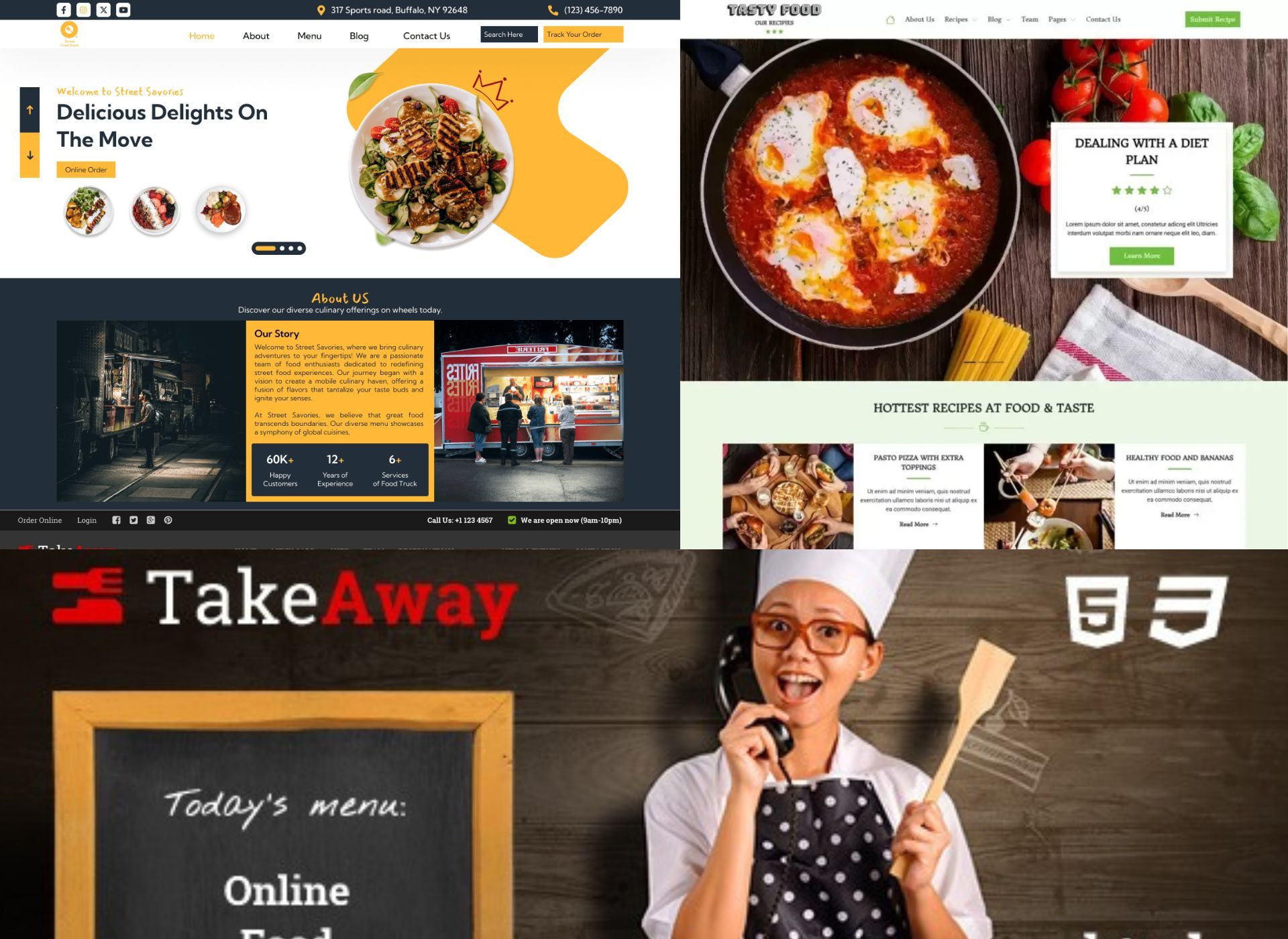
In fast food and QSR environments, everything happens quickly, and your website should too. Visitors want to browse your menu, order, or find a nearby location in seconds. That’s why high-performing fast food restaurant website templates focus on speed, usability, and clarity.
Templates in this category are designed to deliver consistent branding across locations while supporting the fast actions your customers expect. Whether you run a single burger shop or a growing multi-unit franchise, these templates offer a foundation for professional design, seamless ordering, and location-level scalability.
Core Features Built for Fast-Paced Dining
Effective templates for fast food and quick-serve concepts share three core functions:
- Built-in Menus: Interactive, mobile-friendly menus with categories, images, and pricing.
- Order Buttons: Prominent call-to-actions for in-store pickup, delivery, or curbside ordering.
- Delivery Integration: Native or third-party options like DoorDash, Uber Eats, or self-managed checkout tools.
Templates in this segment prioritize responsive design, visual clarity, and functional simplicity, helping you convert visits into transactions.
Templates for Fast Food and Quick-Serve Brands
- Crispy Burger – UpMenu
Bold visuals, embedded delivery integration, and menu-first structure make this a top choice for modern burger brands. Includes location and contact sections by default.
Preview - Sweet & Spicy Burger – UpMenu
Optimized for smaller QSRs and burger cafés, this template emphasizes a stylish layout with quick-access ordering and CTA banners.
Preview - Fast Food – HTML (TemplateOnWeb)
Bootstrap-based, clean layout with contact and menu categories designed for delivery-driven restaurants and pop-ups.
Preview - Street Food Truck – WordPress (WordPress.org)
Visually bold, image-forward, and lightweight. Perfect for takeaway counters and vendors that rely on mobile access.
Preview - Fast Food Restaurant – WordPress (CyberChimps)
Simple, WooCommerce-ready layout that supports menu sections, delivery toggles, and storewide offers.
Preview
Use Case: Popeyes Louisiana Kitchen (USA)
Popeyes uses a unified design structure across its U.S. franchise locations. The website delivers a consistent brand look while integrating location-specific ordering. Using a scalable, template-driven framework, Popeyes ensures each location can provide online ordering, menu customization, and delivery tracking — all without compromising speed or design. This templated structure has helped them grow without digital fragmentation.
Feeling overwhelmed by options? Rozzario can help you pick and launch the right template — without the guesswork. Contact Now
Templates for Pizzerias, Italian Restaurants, and Takeaway Services
Easy-to-Use Designs Focused on Menu Showcase and Online Ordering
Pizzerias, trattorias, and takeaway shops thrive on frequent orders, visual appeal, and menu clarity. Their websites must make it effortless for customers to view options, customize dishes, and place orders — often from a mobile device.
Templates in this category are built to showcase rich food imagery, support item modifiers (like crust or toppings), and integrate with online delivery tools. Whether you’re running a family-owned Italian kitchen or a high-volume pizza chain, a great template helps drive conversions with minimal clicks.
Key Features That Matter for Pizzerias
Italian restaurant sites rely on a few specific features to perform well:
- Menu-first layouts: Highlight pizza sizes, add-ons, and prices clearly.
- Mobile-optimized ordering: Fast, responsive checkout flows for takeout or delivery.
- Simple customization: Easy tools for managing combos, specials, or seasonal items.
- Integration-ready: Connects with POS or delivery apps like Uber Eats or in-house ordering.
These templates are designed to make the ordering experience just as satisfying as the food.
Top Templates for Pizzerias and Italian Restaurants
- Pizza House – WordPress (ThemeForest)
Built for pizza delivery and takeaway, with menu blocks, WooCommerce support, and cart functionality. - Risotto – HTML (Colorlib)
Clean HTML5 layout with reservation form, dish gallery, and minimal scrolling — ideal for trattorias. - FoodBakery – WordPress (ThemeForest)
Multi-vendor compatible and delivery-focused, best suited for regional chains and multi-branch takeaway services. - Pizzan – HTML5 (BootstrapMade)
A modern and responsive layout featuring pre-set pizza categories, offers, and online ordering links. - Linguini – WordPress (ThemeForest)
Elegant and content-rich, with event listings, booking integration, and stylish menu display.
Use Case: Pizza Pilgrims (UK)
Pizza Pilgrims, a growing pizzeria brand in the UK, uses a mobile-first, menu-forward website to streamline local delivery and ordering. The template-driven layout ensures their branding remains consistent across locations, while click-to-order access and local promos drive conversions. The result: stronger order volume, better retention, and faster customer checkout — especially on mobile.
Want to skip the tech setup? Rozzario helps pizzerias and takeaway brands build order-ready websites using the best available templates — fast.
Website Templates for Coffee Shops, Bakeries, and Dessert Spots
Features: Warm, Inviting Designs to Highlight Products & Atmosphere
Use Case: Bakery That Increased Foot Traffic by Showcasing Fresh Products Online
Why These Businesses Need Specialized Templates
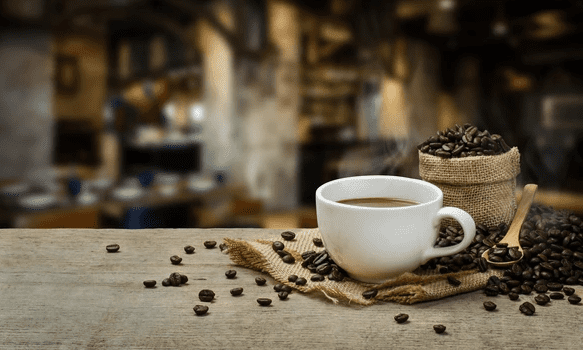
Coffee shops, bakeries, and dessert spots thrive on ambiance, visual appeal, and the allure of their offerings. Their websites should mirror this charm, providing a seamless experience for customers to explore menus, place orders, or make reservations. Templates tailored for these establishments focus on high-quality imagery, intuitive navigation, and mobile responsiveness to enhance user engagement.
Essential Features for Coffee Shops, Bakeries, and Dessert Spots
- Visual Menus: Showcase your offerings with enticing images and detailed descriptions.
- Online Ordering & Reservations: Facilitate easy ordering and table bookings directly from the website.
- Mobile Optimization: Ensure the site looks and functions well on all devices.
- Social Media Integration: Connect with customers through integrated social platforms.
Top Templates for Coffee Shops, Bakeries, and Dessert Spots
- Cofybrew – Coffee Shop & Cafe WordPress Theme
A modern WordPress theme designed specifically for coffee shops and cafes, featuring customizable layouts and WooCommerce integration. - Cake Bakery – Pastry WordPress Theme
Tailored for bakeries and pastry shops, this theme offers a delightful design with e-commerce capabilities. - Sweet Dessert – Candy Shop & Cafe WordPress Theme
Ideal for dessert shops and cafes, this theme boasts vibrant visuals and a user-friendly interface. - Cream – Desserts and Bakery HTML Template
A responsive HTML template perfect for bakeries and dessert shops, featuring a clean design and easy customization. - Ap Lebagol – Dessert & Ice-cream Shopify Theme
Designed for dessert and ice cream shops, this Shopify theme offers a sleek design with e-commerce functionalities.
Use Case: Magnolia Bakery (USA)
Magnolia Bakery revamped its online presence with a user-friendly website that showcases its delectable products. The site features high-quality images, an intuitive menu, and online ordering capabilities, leading to increased customer engagement and foot traffic across its locations.
Bars, Breweries, and Nightlife Venue Website Templates
Why Nightlife Brands Need Bold, Conversion-Ready Templates
Bars, breweries, lounges, and nightclubs aren’t just selling drinks — they’re selling experiences. For nightlife venues, your website is often the first impression guests get before planning their night out. That means it must reflect your energy, ambiance, and event-driven identity.
Templates in this category are designed for visual impact, event promotion, and fast interaction. Whether you’re running a live music bar, a craft brewery, or a DJ nightclub, your website must showcase upcoming events, drink specials, and reservation options in a clear, mobile-first format. Nightlife audiences often visit your site for one reason: to find out what’s happening tonight — and the right template makes sure they do just that.
Core Features Built for High-Energy Venues
Successful nightlife templates prioritize conversion and real-time relevance. Here’s what sets them apart:
Event calendars are built directly into the homepage, enabling bars and venues to display weekly DJ sets, trivia nights, or seasonal tastings without extra setup. Reservation and RSVP forms are simplified and accessible, often integrated as lightbox popups or sticky buttons. Dynamic drink menus use fullscreen sliders or categorized sections to present signature cocktails and tap lists in an engaging, visual-first format.
Visual-heavy layouts often include hero video backgrounds, dark neon themes, and bold calls to action that match the venue’s real-world style. Mobile optimization is key, as most guests check hours or make plans on the go. Social media integrations, especially Instagram and TikTok feeds, help maintain an active digital presence tied to real-time events and nightlife culture.
Templates for Bars, Breweries, and Nightlife Venues
- Pubzinne – Sports Bar & Pub WordPress Theme (ThemeForest)
A versatile theme tailored for sports bars and pubs, featuring event scheduling, menu showcases, and WooCommerce compatibility. - BrewHouse – Brewery / Pub / Restaurant WordPress Theme (ThemeForest)
Designed for breweries and pubs, this theme offers tasting room bookings, product showcases, and a responsive layout. - Domex – Night Club and Event HTML Template (ThemeForest)
An HTML template ideal for nightclubs and DJs, featuring RSVP modules, gig calendars, and animated headers. - Barista – Modern WordPress Theme for Cafes, Coffee Shops, and Bars (ThemeForest)
Perfect for stylish cocktail lounges or hybrid bar-cafés, this theme includes parallax visuals, menu sliders, and contact forms.
- Winebar – Alcohol & Drinks Store Shopify Theme (TemplateMonster)
A Shopify theme suitable for bars selling branded products online, featuring eCommerce layouts, reservation buttons, and mobile responsiveness.
Use Case: Short’s Brewing Company (USA)
Short’s Brewing Company, based in Michigan, updated its website with the help of Oneupweb to improve event visibility, mobile usability, and beer catalog navigation. The new site features a responsive layout, event calendar, and e-commerce for merchandise and beer sales.
Results:
• Improved visibility for live events and taproom info
• Increased online merchandise purchases
• Faster mobile navigation for customers across locations
E-Commerce Restaurant Website Templates
Why Restaurants Need E-Commerce-Enabled Templates
Today’s restaurant websites do much more than showcase a menu. With more guests looking for convenient ways to order online, send gift cards, or shop for meal kits and branded goods, having an e-commerce-ready website is essential. Whether you’re running a family-owned bistro or a multi-location food brand, your digital storefront should offer as much flexibility as your kitchen.
Templates built for restaurant e-commerce focus on three things: making it easy for guests to complete purchases, helping owners manage inventory and payments, and creating a smooth, professional experience on any device. That means built-in ordering systems, secure checkout, and tools for promoting products and gift cards — all wrapped in a design that fits your brand.
Templates for E-Commerce-Enabled Restaurant Websites
- Soup – Restaurant with Online Ordering System (HTML, ThemeForest)
A clean, fast-loading HTML template designed for food businesses that want to offer ordering and cart checkout without the complexity of a CMS. It’s fully responsive and easy to customize for online menus and deliveries. - TakeAway – Online Food Ordering HTML Template (ThemeForest)
Ideal for fast food brands or ghost kitchens, this HTML template comes with restaurant-ready layouts, quick order buttons, and a structure that supports delivery-focused websites. - Foodymat – WordPress Restaurant Theme (WooCommerce, ThemeForest)
This stylish WordPress theme uses WooCommerce to manage online orders, pickup, and delivery. It’s perfect for restaurateurs who want a full-featured site with elegant design and built-in food commerce tools. - Delicious – Free Bootstrap Template for Restaurants (BootstrapMade)
Great for small restaurants starting, this free one-page template offers responsive design, food galleries, and basic contact/order features — no CMS required. - Bistro – Shopify Theme for Food & Drink Stores (TemplateMonster)
A beautifully built Shopify theme for restaurants selling merch, packaged goods, or take-home meals. Comes with flexible layouts, mobile-friendly storefronts, and built-in eCommerce checkout.
Use Case: Via Real Restaurant (Irving, Texas, USA)
Via Real, a well-known Santa Fe-style restaurant in Irving, Texas, updated its website to allow customers to purchase digital gift cards online, offering a convenient way to send thoughtful gifts year-round. This small change made a big difference in how they served both loyal patrons and new guests looking for something special.
Results:
• Increased gift card sales through the website
• Gave customers a seamless way to buy and send digital gifts
• Created a steady revenue stream during slower dining seasons
Multi-Purpose Restaurant Website Templates
Why Versatile Templates Matter for Modern Restaurants
Today’s dynamic food industry, restaurants often evolve, be it expanding to new locations, introducing diverse cuisines, or launching pop-up events. A flexible website template becomes essential to mirror these changes online seamlessly.
Multi-purpose restaurant templates are designed to adapt to various needs, whether you’re a fine dining establishment, a casual café, or a food truck. They offer:
- Customizable Layouts: Easily adjust sections to highlight new menus, special events, or seasonal offerings.
- Responsive Design: Ensure your website looks and functions flawlessly on all devices, from desktops to smartphones.
- SEO Optimization: Built-in features to enhance your site’s visibility on search engines, attracting more customers.
- Fast Loading Speeds: Optimized code and design elements that reduce load times, improving user experience.
These templates provide a solid foundation, allowing you to focus on delivering exceptional culinary experiences while maintaining a strong online presence.
Recommended Templates
- Resto – Multipurpose Restaurant & Café WordPress Theme
A polished and professional WordPress theme designed for various dining establishments. Resto offers a highly responsive layout, making it ideal for restaurants, cafés, and bistros aiming for a robust online presence. - Bermiz – Multipurpose Restaurant & Food Delivery HTML Template
Bermiz is a modern HTML5 template built with Bootstrap 5.1.3, suitable for hotels and restaurants. It features a high-performance web design, making it a versatile choice for various food businesses. - OWL – Multipurpose Restaurant & Café WordPress Theme
OWL is a visually stunning WordPress theme crafted for elegant restaurants and chic cafés. It offers meticulous design elements, ensuring a sophisticated online representation for diverse culinary ventures.
Use Case: Bao London – From Pop-Up to Multi-Location Brand
Bao started as a Taiwanese street food pop-up in Hackney, London, and quickly gained a cult following. They used a flexible web design approach to maintain their iconic visual identity while adapting content for multiple locations, reservations, and merchandise.
Results:
• Supported growth from a single stall to a multi-venue brand
• Enabled online bookings, merchandise sales, and event updates
• Created a consistent brand presence across locations and offerings
This adaptability not only streamlined their operations but also contributed to increased customer retention and brand loyalty.
Template Features to Prioritize for Fast Setup & Success
Make Your Restaurant Website Launch-Ready in Less Time
Choosing the right website template can mean the difference between launching in days versus weeks. For restaurants, time matters — especially when you need to update menus, open bookings, or start accepting online orders fast. Prioritizing the right built-in features ensures you don’t need to build from scratch or rely on expensive custom development.
Here are the features that matter most for a quick, professional setup:
Drag-and-Drop Builders
Templates that include builders like Elementor (WordPress), Wix Editor, or Shopify’s Theme Customizer let you adjust layouts, text, and visuals with zero coding. This helps you match your restaurant’s branding in hours, not days.
Pre-Built Reservation & Contact Forms
A ready-to-use table booking form or inquiry section means you don’t need third-party plugins. Look for templates that offer native integrations with systems like OpenTable, Resy, or custom form modules already styled and responsive.
Menu Sections, Gallery Displays, and Testimonials
Templates should include pre-styled menu blocks for food and drink listings, photo gallery sections to showcase your ambience or dishes, and testimonial areas for guest reviews. These are essentials — not extras — and save valuable time during setup.
Mobile-Responsive Design and SEO Settings
Fast setup is only effective if your site performs. Prioritize templates optimized for speed, mobile performance, and basic SEO (meta titles, image alt tags, and clean HTML). This ensures you’re visible and usable from day one.
PAA: How do I quickly set up a restaurant website?
To quickly launch a restaurant website, start with a template that includes drag-and-drop editing, built-in reservation forms, and customizable menu layouts. Choose a platform you’re comfortable with — WordPress, Shopify, or Wix — and pick a responsive design and SEO-ready. Avoid templates that require complex configuration or don’t include core restaurant features.
Top Sources for Reliable Restaurant Website Templates
Launch Quickly with Platforms That Prioritize Functionality, Design, and Flexibility
Choosing the right source for your restaurant website template can save you days of setup time — and make scaling easier down the line. Whether you’re building on WordPress, Shopify, or a visual builder, the platforms below offer reliable, restaurant-ready options trusted by businesses worldwide.
Envato Elements: Subscription Access to Thousands of Designs
Envato Elements offers unlimited downloads with a single subscription. Restaurant templates on this platform include drag-and-drop compatibility (via Elementor, WPBakery, or HTML builders), pre-built menus, booking forms, and mobile-optimized layouts — ideal for fast launches and creative freedom.
TemplateMonster: Specialized Fast Food & Restaurant Templates
TemplateMonster features an extensive collection of restaurant themes for WordPress, Shopify, and HTML. These templates are known for their ease of use, built-in reservation forms, and industry-specific sections like food galleries, testimonials, and online ordering modules.
Wix & Squarespace: All-in-One Simplicity
For non-technical users, Wix and Squarespace offer restaurant templates that are ready to go, with integrated booking, delivery, and gallery sections. Their visual editors allow real-time editing, making them perfect for small cafes, cloud kitchens, or single-location brands.
WordPress Themes: SEO Strength & Long-Term Scalability
WordPress is still the top choice for restaurants wanting total control, plugin support, and SEO flexibility. Many themes come WooCommerce-ready for online orders and gift card sales, and integrate easily with systems like OpenTable or Resy.
Use Case: Restaurants Using TemplateMonster Templates
Source: TemplateMonster Restaurant Templates
Many independent restaurants and cafes rely on TemplateMonster’s pre-built themes to get online fast. The platform offers booking-ready templates that are used widely by food businesses around the world.
Key Benefits Observed by Users:
• Launched websites quickly using built-in reservation forms and menu sections
• Reduced dev time through intuitive admin panels and theme documentation
• Maintained responsive design and SEO readiness across devices
TemplateMonster remains a go-to source for food entrepreneurs who need a fast, functional, and professional website, without coding from scratch.
How to Choose the Right Template for Your Restaurant

Why Template Selection Impacts Performance
Your website is more than a digital menu — it’s often a customer’s first impression. The right template should reflect your brand personality, accommodate your business model, and support long-term growth. Whether you’re launching a fine-dining concept or managing multiple fast-casual outlets, selecting a well-built template helps drive traffic, bookings, and orders.
What to Look for When Choosing a Template
Brand & Cuisine Alignment
Choose a layout that visually represents your food style — minimal for upscale seafood, bold for BBQ, and earthy tones for vegan cafés. Typography, color schemes, and image placement should feel aligned with your physical space and menu vibe.
Business Goal Compatibility
Are you focused on reservations? Online delivery? Event bookings? Look for templates that prioritize your core features — like OpenTable integration, product cart support, or group reservation modules — right out of the box.
Mobile, SEO & Speed Focused
Templates should be mobile-first, built with semantic HTML, and optimized for quick loading. This improves search engine visibility, especially for local SEO, and ensures users stay engaged.
Use Case: Eventide Oyster Co. (USA)
Eventide Oyster Co., a modern seafood restaurant in Portland, Maine, revamped its website to better match its fresh, coastal identity. They implemented a clean, mobile-first template with high-quality imagery and built-in SEO elements. After launch, they saw a significant increase in website engagement and brand visibility.
Results:
• 60% increase in organic website traffic within 6 months
• Improved mobile usability, lowering bounce rate
• Higher conversion on reservation and private dining inquiry forms
Source: SEO Design Chicago – Restaurant Marketing Case Study
Website Template Customization Tips for Restaurants
Customizing a restaurant website template shouldn’t require a developer, and it doesn’t have to. Whether you’re a small café or a busy bistro, most modern templates come with tools that make it easy to update content, apply your brand identity, and connect key features like maps and reservations. The goal is simple: launch fast, stay on brand, and give customers a smooth experience.
Below are essential customization steps every restaurant owner should focus on, even without coding knowledge.
Adding Your Branding, Colors, and Menu Items Quickly
Start by uploading your logo and setting your brand colors. Most templates include theme settings where you can adjust fonts, buttons, backgrounds, and accents to match your physical signage, menu design, or uniforms. This visual consistency builds instant trust.
Once your colors and fonts are set, move on to your menu. Many templates include ready-made menu blocks where you can easily update dish names, pricing, and descriptions. Platforms like WordPress (with Elementor), Wix, or Shopify make it drag-and-drop simple. Uploading food images is equally fast and helps turn browsers into diners.
Tip: Replace all demo content as early as possible. A restaurant with placeholder text or stock images looks unfinished, even if everything else works.
Integrating Google Maps, Social Media, and Reservation Widgets
Functionality matters as much as looks. Once your brand elements and menu are in place, connect tools that help guests take action.
Most restaurant templates include widgets or integrations for:
- Google Maps: Embed your exact location using your Google Business profile link or a standard iframe.
- Social Media Feeds: Many themes offer Instagram, Facebook, or TikTok sections where you can sync live content just by pasting a URL or access token.
- Reservation Systems: For bookings, use integrations like OpenTable, Resy, Tablein, or native forms included in the theme. Some templates also support email booking confirmations or direct POS links.
These add-ons help turn your website into a working hospitality tool, not just an online brochure.
Use Case: Family-Owned Restaurant That Personalized a Template Without Tech Skills
Business: il Buco family-New York City,
ill Buco family utilized a user-friendly website template to reflect its authentic Italian ambiance. By customizing the template with their branding, menu, and integrating reservation systems, they enhanced their online presence effectively.
Results:
- Launched a fully functional, mobile-optimized website without hiring a developer.
- Enabled online reservations and showcased their menu, leading to increased customer engagement.
- Maintained a consistent brand image across their physical and digital platforms.
This example demonstrates how small, family-run restaurants can leverage customizable templates to establish a strong online presence without extensive technical knowledge.
Boosting Website Bookings with Fast-Setup Templates
In today’s digital-first dining landscape, a well-designed website isn’t just a luxury—it’s a necessity. Fast-setup templates empower restaurants to launch professional, functional websites quickly, enabling features like online reservations, menu displays, and event sign-ups without extensive development time. By leveraging these templates, restaurants can enhance user experience, streamline operations, and ultimately increase bookings.
Features to Drive Reservations, Online Orders, and Event Sign-Ups
Modern restaurant website templates come equipped with features designed to convert visitors into customers:
- Integrated Reservation Systems: Tools like OpenTable, Resy, or Eat App allow customers to book tables directly from the website.
- Online Ordering Capabilities: Built-in e-commerce functionalities enable takeout and delivery orders, expanding revenue streams.
- Event Management Modules: Templates often include sections to promote special events, with RSVP or ticketing options.
- Mobile Responsiveness: Ensures seamless browsing and booking experiences across all devices.
- SEO Optimization: Clean code and fast load times improve search engine rankings, increasing visibility.
Leveraging Clear Calls-to-Action and Booking Forms
Effective calls-to-action (CTAs) guide visitors toward making reservations or placing orders. Templates facilitate this by:
- Prominent CTA Buttons: “Reserve Now” or “Order Online” buttons are placed strategically on the homepage and menu pages
- Simplified Booking Forms: Minimalist forms requiring essential information reduce friction in the reservation process.
- Sticky Navigation Bars: Persistent headers keep booking options accessible as users scroll.
- Visual Hierarchy: Design elements that draw attention to booking sections without overwhelming the user.
Use Case: Wapalapam – Boosting Reservations with a Fast-Setup Website
Wapalapam, a beachside restaurant known for its bold island-to-table menu, needed a faster and more reliable way to handle reservations. Their old website wasn’t mobile-friendly and lacked the functionality to manage guest bookings in real time.
To solve this, they launched a new site using a modern, mobile-optimized template integrated with Eat App — a restaurant reservation system. The new design made it easier for guests to book tables directly from the site, while giving the staff live visibility into table availability.
Results:
• 241% increase in reservations over just two peak months post-launch
• Faster, more organized front-of-house operations
• Easier booking experience for guests across desktop and mobile
Wapalapam’s team didn’t just redesign their site — they transformed it into a working tool that helped them grow bookings, serve guests better, and simplify daily operations.
Common Mistakes to Avoid When Using Restaurant Website Templates
Even with the best template, success depends on how you use it. Many restaurants rush through the setup process and overlook simple but important details. Avoiding these common mistakes can make your site faster, easier to use, and more likely to convert visitors into real diners.
Ignoring Mobile Responsiveness
Most restaurant searches happen on phones — whether someone’s looking for a menu, making a reservation, or getting directions. If your template isn’t fully mobile-optimized, you’ll lose potential customers before they even step inside.
What to check:
• Menus should be scrollable and legible on small screens
• CTA buttons (like “Book Now”) should be thumb-friendly
• Phone number, map, and hours should be instantly visible
If your theme claims to be responsive but feels clunky on mobile, it’s worth switching to one with a better layout engine like Elementor (WordPress) or built-in mobile previews (Wix/Squarespace).
Overloading Pages with Unnecessary Features
Too many plugins, animations, pop-ups, or image-heavy elements can slow down your site and confuse visitors. Focus on function over flash — guests are here to browse your menu, find your hours, and make a reservation.
Avoid:
• Auto-play background videos that slow mobile speeds
• Stacked image galleries with no food context
• Redundant buttons or multi-step booking forms
Do this instead:
Keep your homepage clean. Feature your food, one CTA, your hours, and a reservation option. Everything else can go on inner pages.
Failing to Update Menus and Business Information
One of the most damaging mistakes is letting your website go stale. Outdated pricing, unavailable dishes, or wrong operating hours not only frustrate guests — they break trust.
Stay on top of:
• Menu changes — remove seasonal dishes and update prices
• Operating hours — reflect holidays or special events
• Booking settings — make sure reservation times are accurate
If you’re short on time, set a monthly reminder to review and update your key pages. Even 15 minutes can prevent guest complaints or lost bookings.
Conclusion: Launching a High-Performing Restaurant Website, Fast
Building a great restaurant website doesn’t have to take weeks or require a full development team. With the right template, you can launch a fast, functional, and beautifully branded site that’s ready to handle reservations, online orders, and customer engagement.
Recap of the Best Fast-Setup Templates for Every Restaurant Type
Depending on your concept and goals, these template categories stood out:
- • Cafés & Dessert Shops – Visual-first themes like Cake Bakery (WordPress) and Ap Lebagol (Shopify)
• Fast Food & QSR – Quick-launch options like Crispy Burger (UpMenu) and Fast Food HTML
• Bars & Breweries – Bold layouts like Pubzinne (WordPress) and Drinkic (Shopify)
• E-Commerce-Driven – Functional tools like Foodymat (WooCommerce) and Soup (HTML)
• Multi-Purpose – Scalable solutions like Resto and OWL (WordPress)
These templates help restaurants of all sizes get online fast, without compromising performance or brand experience.
Combining Great Design with Functionality for Business Success
The best restaurant websites aren’t just pretty — they’re built to work. Whether your goal is to drive more reservations, grow takeout orders, or promote a signature event, your template should support:
- Easy editing (drag-and-drop or CMS controls)
- Built-in booking, contact, and order tools
- SEO-readiness and mobile responsiveness
- Visual branding that feels true to your dining experience
Use Cases: How Startups and Established Restaurants Alike Benefit from Ready-Made Templates
Pre-built templates work for more than just startups:
Independent Owners can go live in days, not weeks, without writing code
Established Brands use templates to expand locations, test new menus, or launch delivery arms in-house.
Results they share:
• Faster setup
• Easier team management
• Better alignment between website and brand
A smart template doesn’t just save time — it gives your restaurant the digital backbone it needs to compete and grow.
Need Help Choosing or Customizing the Right Template?
Rozzario’s restaurant marketing consultants specialize in full-stack website launches — from strategy and template selection to full setup, SEO, and branding alignment.
Book a free consultation and let’s help you launch a high-performing restaurant website — fast, flexible, and built to convert.
Frequently Asked Questions (FAQs)
What is the best free restaurant website template?
If you’re looking for free options, Delicious by BootstrapMade is a great starting point. It’s responsive, clean, and easy to update — ideal for small cafés, food trucks, or new ventures that need a basic online presence without upfront costs.
For more features and design flexibility, free themes on WordPress.org, like Restaurant and Cafe or FoodHunt Lite, are also popular choices.
How quickly can I launch a website with a template?
With a drag-and-drop builder or a pre-configured WordPress/Shopify theme, you can go live in as little as 1–3 days, especially if your content (menu, images, hours) is ready.
Most templates include demo layouts, so you’re just replacing placeholder content with your own.
Do I need coding skills to customize a restaurant template?
No. Most modern templates come with visual editors like Elementor (WordPress), Shopify’s Theme Editor, or Wix’s drag-and-drop interface. You can change colors, menus, photos, and page layouts without touching a line of code.
If you’re comfortable editing a Word doc, you can manage a template.
Are templates SEO-friendly and mobile-optimized?
Yes — especially the ones we’ve recommended. Leading templates are built with mobile-first layouts, clean code, and built-in SEO support (like meta tag editors and fast load times).
Just make sure you choose a reputable theme from platforms like ThemeForest, TemplateMonster, or Squarespace — not a poorly coded freebie.
What platform is best for restaurant website beginners?
- Wix – Best for full beginners; fast drag-and-drop setup, built-in reservations
• Squarespace – Sleek designs with built-in tools, great for branding-focused restaurants
• WordPress (with Elementor) – Ideal if you want control, scalability, and plugin options
• Shopify – Great if you want to sell food products, meal kits, or gift cards online
Choose based on your comfort level, goals, and whether you’ll manage it yourself or with a team.
Ready to Launch Your Restaurant Website? Get Expert Help
At Rozzario, we help restaurants move from idea to online in just days, without the overwhelm.
Website Setup Services for Fast Turnaround
Our team handles template selection, installation, content updates, and launch, so you can focus on running your restaurant.
Customization Support and Reservation Integration
Whether it’s linking OpenTable, adjusting mobile menus, or setting up gift card sales, we take care of the tech, no code needed from your side.
Want Results Like This?
Rozzario has helped dozens of restaurants go beyond just “being online” — turning their websites into real growth tools.
Take Restoran Mahbub, for example. We helped them improve their local search visibility, clean up their mobile experience, and make it easier for customers to find them — and walk through the door.
If you’re ready to turn your website into something that drives bookings, foot traffic, or online orders…
Book a Free Website Strategy Call to get started — and launch your site the right way.
