
Best WooCommerce Plugins for Improving Store Efficiency in 2026
In 2026, running a successful WooCommerce store goes far beyond simply listing products online. With increasing competition and rising customer expectations, efficiency has become a critical factor that determines whether an online store thrives or struggles. Store owners must manage inventory, process orders, handle marketing, ensure compliance, and deliver a seamless customer experience, all while minimizing manual effort.
This is where WooCommerce plugins play a transformative role. The right combination of plugins can automate repetitive tasks, streamline workflows, enhance performance, and improve conversions. From product management and checkout optimization to marketing automation and analytics, modern plugins empower businesses to operate smarter and scale faster.
In this article, we explore the best WooCommerce plugins for improving store efficiency in 2026, including powerful solutions from WebToffee and other leading providers.
1. Product Import Export Plugin for WooCommerce
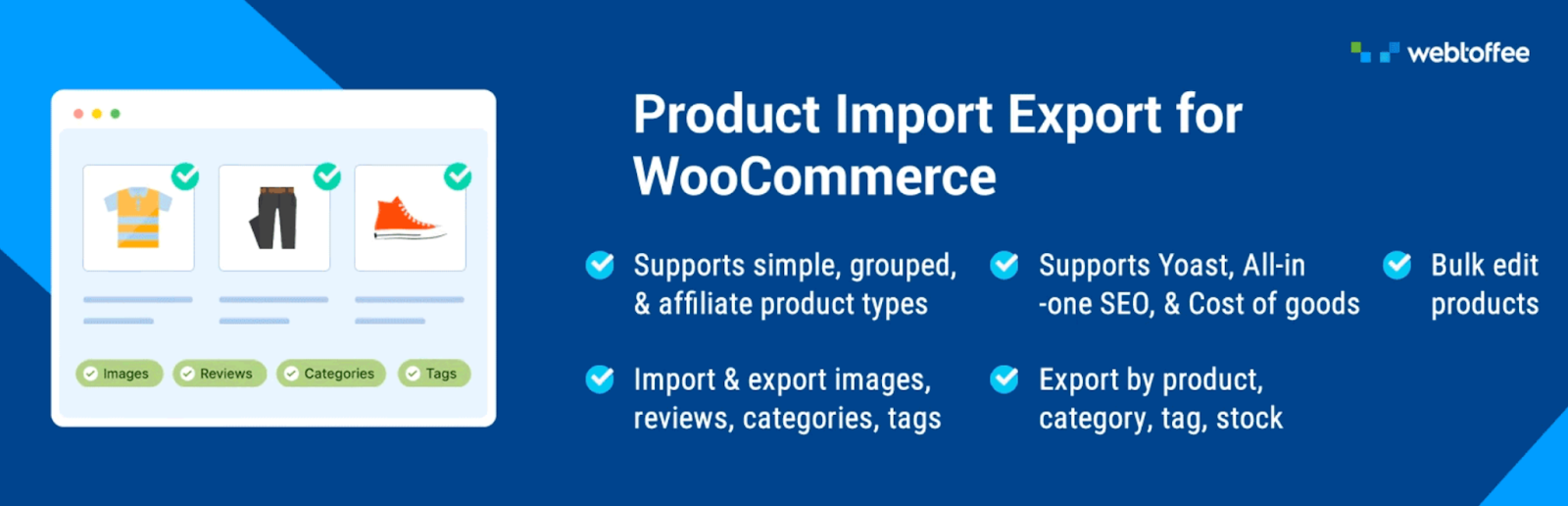
WooCommerce Product Import Export for WooCommerce is a popular WordPress plugin that helps store owners easily manage WooCommerce product data by importing and exporting it in bulk. It allows you to transfer products using CSV, XML, TSV, and other file formats, making it especially useful for store migration, backups, or updating large inventories. With features such as bulk editing, product filtering (by category, stock, tags, etc.), and automatic column mapping, the plugin simplifies complex data-handling tasks. It also supports importing product images, attributes, pricing, and taxonomies, helping users efficiently maintain and sync their store data without manual effort.
The free version of this plugin provides essential functionality for basic store management. It allows you to import and export simple, grouped, and external/affiliate products, along with product reviews, tags, and categories, using CSV files. You can perform bulk product updates, manage stock and pricing, and even filter exports based on specific conditions. While it covers most standard needs, advanced features such as scheduled imports/exports, multiple file formats (XML/Excel), FTP/SFTP import/export, and custom meta field handling are available only in the premium version.
2. WooCommerce Shipping

WooCommerce Shipping simplifies the process of handling shipping logistics by providing real-time shipping rates, label printing, and tracking capabilities directly from the dashboard. It integrates with major carriers, making it easier to manage deliveries.
This plugin reduces manual calculations and errors in shipping processes. By automating rate calculations and label generation, it speeds up order fulfillment and ensures a smoother post-purchase experience for customers.
3. WooCommerce PDF Invoices & Packing Slips
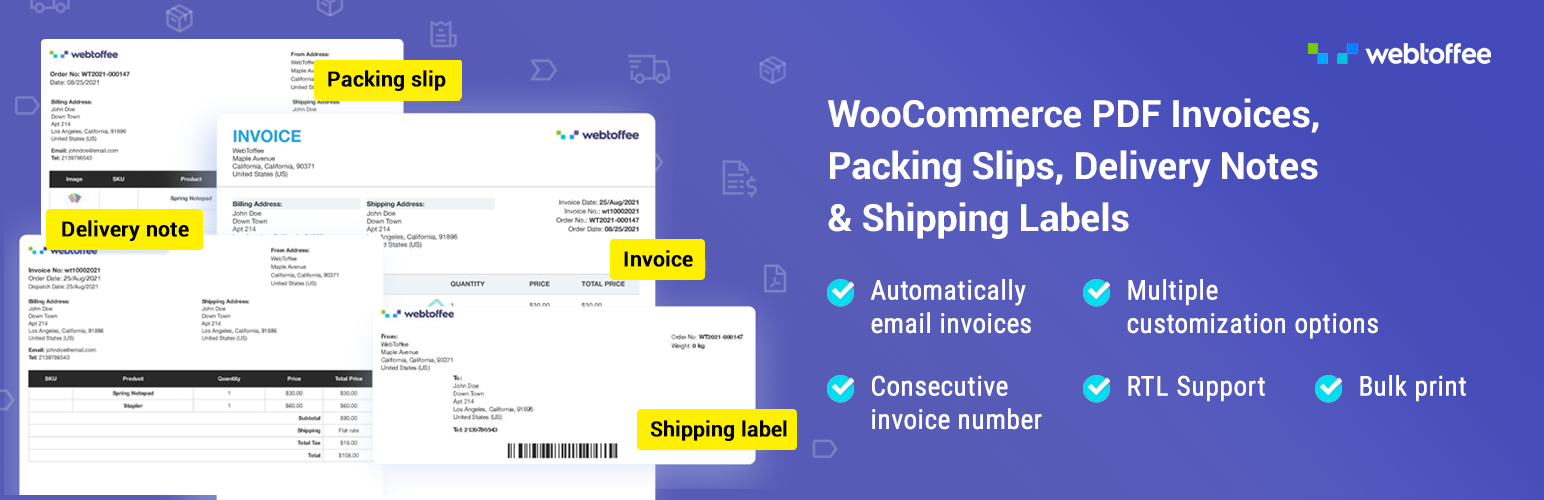
PDF invoices & Packing Slips for WooCommerce plugin helps online store owners automatically generate PDF invoices for orders and send them to customers via email. It provides customizable invoice templates where you can add your logo, business details, tax information such as VAT or GST, and adjust the layout to match your branding. The plugin also allows customers to download invoices from their account page and supports features like sequential invoice numbering, multilingual invoices, and inclusion of payment links within the invoice for faster transactions.
This woocommerce invoice plugin also offers a free version with essential features for basic invoice management. It enables automatic invoice generation, along with the ability to create and download documents like packing slips, shipping labels, and delivery notes.
4. WooPayments

WooPayments is an all-in-one payment solution designed specifically for WooCommerce stores. It allows businesses to accept payments directly on their site without redirecting customers, improving checkout flow and trust.
Beyond payments, it provides tools for managing refunds, disputes, and transaction tracking. This centralization of financial operations enhances efficiency and gives store owners better control over their revenue streams.
5. WooCommerce Smart Coupons
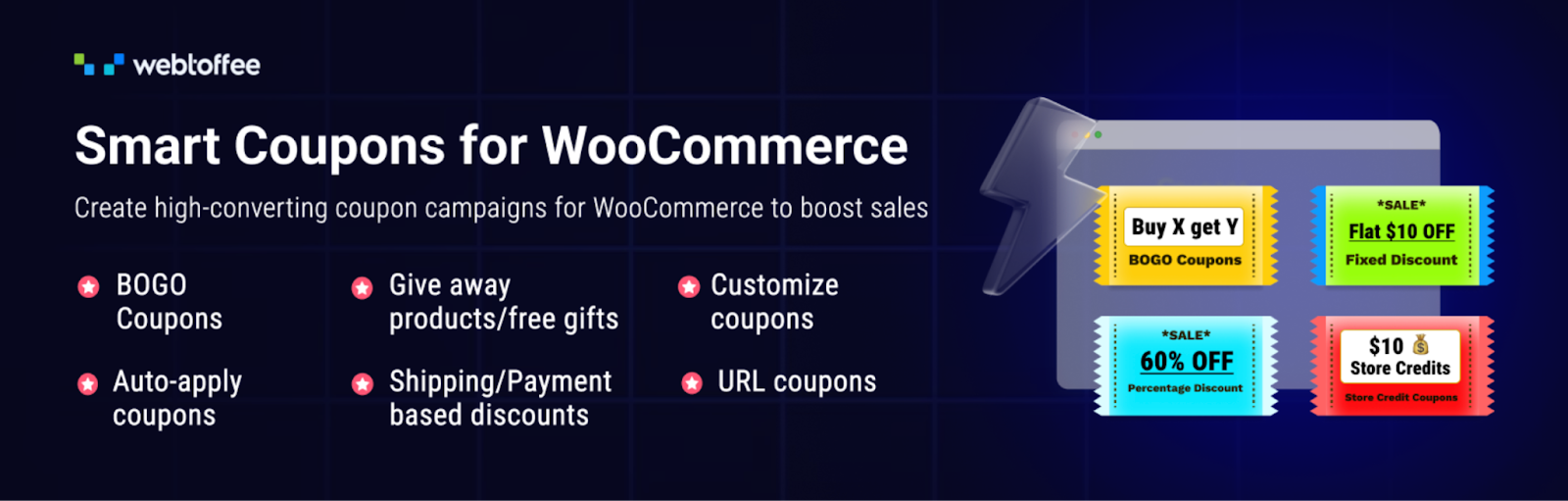
The Smart Coupons for WooCommerce plugin is an advanced coupon management solution that extends the default WooCommerce coupon system, allowing store owners to create a wide range of promotions and discount strategies. It enables the creation of different types of coupons, such as percentage discounts, fixed discounts, Buy One Get One (BOGO) offers, store credits, and gift vouchers. The plugin also supports advanced conditions, allowing coupons to be applied based on factors like purchase history, user roles, payment methods, shipping options, or location, helping businesses run highly targeted and conversion-focused campaigns.
In addition, the plugin includes features designed to improve marketing and sales performance, such as auto-apply coupons, bulk coupon generation, signup coupons, and abandoned cart recovery coupons. It also allows store owners to create and manage store credits, send coupons in bulk, and configure detailed usage restrictions to control how and when discounts are applied. With capabilities like giveaway products, scheduled coupons, and display of available coupons on the cart page, the plugin provides a flexible system to run promotional campaigns, boost customer engagement, and increase conversions.
6. GDPR Cookie Consent Plugin
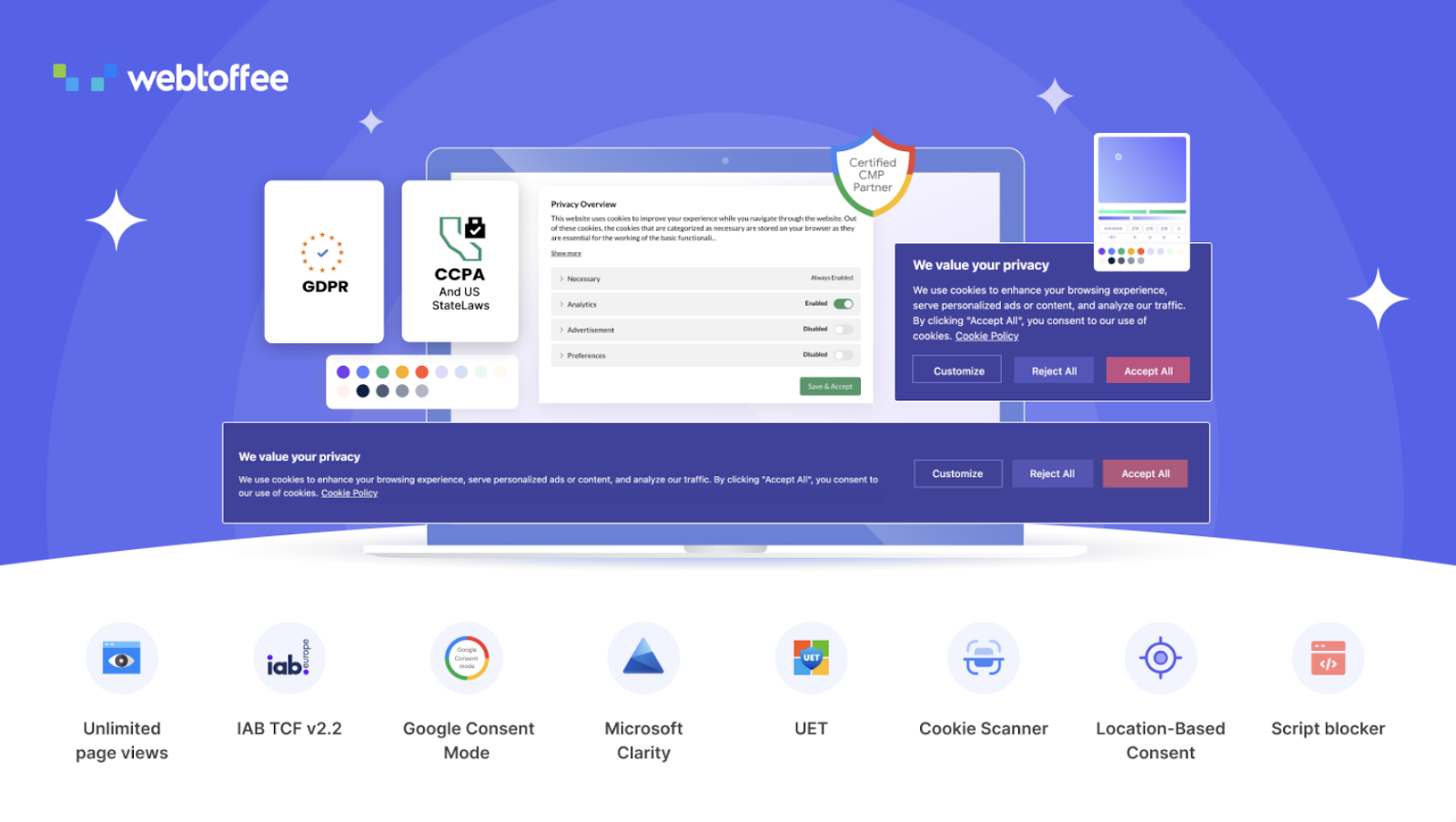
The GDPR Cookie Consent plugin helps websites comply with major privacy regulations, such as GDPR, CCPA, and other global cookie laws, by managing user consent for cookies. It allows you to display a customizable cookie banner on your website to inform users about cookie usage and obtain their permission before collecting data.
The plugin provides flexible layout options such as banners, popups, or boxes, along with full customization of content, colors, and buttons to match your website design. It also supports features like blocking non-essential cookies until consent is given, granular control over cookie categories, and integration with frameworks like Google Consent Mode and IAB TCF to ensure compliant data handling.
In addition, the plugin includes tools for advanced cookie and consent management. It can scan your website to detect cookies, categorize them, and maintain a detailed cookie list. It also records user consent history, allowing you to export proof of compliance when required.
7. WooCommerce Tax

WooCommerce Tax automates tax calculations based on location, ensuring accurate tax rates are applied during checkout. It supports multiple regions and automatically updates tax rules.
Managing taxes manually can be complex and error-prone, especially for global stores. This plugin eliminates that burden by handling calculations in real time, saving time and ensuring compliance with tax regulations.
8. CartFlows

CartFlows is a powerful sales funnel builder for WooCommerce that enables store owners to create optimized checkout flows, including one-click upsells and order bumps. It replaces the default checkout with a more conversion-focused experience.
By simplifying and optimizing the buying process, CartFlows reduces cart abandonment and increases average order value. Its automation features also minimize the need for constant manual adjustments, making it a key efficiency tool.
9. WooCommerce Product Feed Plugin
The WooCommerce Product Feed plugin helps store owners create and manage product feeds to promote their products across multiple online marketplaces and sales channels. It allows you to generate optimized product feeds in XML, CSV, XLSX, and TXT formats, making it easy to list products on platforms such as Google Shopping, Facebook, Instagram, TikTok, Pinterest, and more. The plugin supports connecting your store to services like Google Merchant Center and Facebook Catalog, enabling automatic syncing of product data so that listings stay updated and visible to a wider audience, helping drive traffic and sales.
It also provides features to efficiently customize and control product feeds. You can create unlimited feeds and include an unlimited number of products, apply smart filters to include or exclude items, map categories to match marketplace requirements, and add static values like brand or condition for consistency. The plugin includes tools such as batch syncing, feed management, and status tracking to ensure accurate updates.
Advanced capabilities available in the premium version include automatic real-time updates to product data, advanced filtering options, multilingual and multi-currency support, scheduled feed refreshes via server cron, and the ability to create custom feeds tailored to specific platforms or requirements.
10. FunnelKit
FunnelKit offers advanced funnel-building capabilities along with checkout customization and automation. It includes features like A/B testing, dynamic offers, and detailed analytics to improve conversion rates.
With built-in automation workflows, businesses can create personalized customer journeys without ongoing manual intervention. This improves both marketing efficiency and user experience, leading to higher sales with less effort.
11. WooCommerce Request a Quote Plugin
The WooCommerce Request a Quote plugin allows store owners to replace the traditional purchasing flow with a flexible quotation system, making it easier to handle custom pricing, bulk orders, and B2B sales. The plugin also includes several features to improve quote management and customer interaction.
You can control which products or categories show the quote option, restrict visibility based on user roles, and display a quote list in a mini-cart style for easy access. It supports creating secure, spam-free quote request forms with reCAPTCHA, sending automatic email responses and notifications, and attaching PDF quotations for customers to download. Additional capabilities include auto-generating quotes with default pricing, showing shipping costs within quotes, and maintaining a complete workflow for handling quotations efficiently within the store.
12. Direct Checkout for WooCommerce
Direct Checkout for WooCommerce allows customers to skip the cart page and go directly to checkout, significantly reducing the number of steps in the buying process. This streamlined experience is particularly useful for impulse purchases.
By removing unnecessary steps, this plugin improves conversion rates and speeds up transactions. It also reduces friction for returning customers, making the shopping experience faster and more efficient.
13. WooCommerce PDF Invoices Customizer Add-on

WooCommerce PDF Invoices Customizer Add-on is a premium add-on that works alongside the WooCommerce PDF Invoices, Packing Slips & Credit Notes plugin, giving store owners complete visual control over their order documents through an intuitive drag-and-drop interface. It provides ample flexibility to add, move, and arrange different components of an invoice, packing slip, delivery note, shipping label, dispatch label, credit note, picklist, and proforma invoice, including address details, order/product metadata, tax-related information, or any custom data, directly into the document type.
Rather than starting from scratch, it comes with a variety of pre-defined templates that allow store owners to select a layout appropriate to their business, and the customizer itself is structured with an editor pane, assets panel, and a real-time preview pane so every change is instantly visible.
The add-on also offers deep, block-level control for more granular customization needs. Store owners can edit each block’s dimensions, background, and typography individually, and use the drag-and-rearrange icon to reorder items within a block. For advanced users, block-wise HTML editing is available to modify individual block code without affecting the rest of the template.
14. Omnisend

Omnisend is a marketing automation platform that combines email, SMS, and push notifications into a single tool. It allows store owners to create automated workflows for cart abandonment, welcome series, and promotional campaigns.
This level of automation reduces the need for manual marketing efforts while ensuring consistent communication with customers. It helps improve retention and engagement, making marketing operations more efficient and scalable.
15. WebYes Accessibility Toolkit
The WebYes Accessibility Toolkit includes an accessibility checker that scans websites and highlights issues that may affect usability or compliance with standards such as WCAG 2.1 and the ADA. While these standards are partially supported by existing information, specific mentions of Section 508 and ARIA guidelines are not confirmed and therefore require verification through a web search. Given that Section 508 aligns closely with WCAG as part of U.S. federal accessibility requirements, the claim is plausible but still needs confirmation based on the outlined policy.
Additionally, the plugin is described as offering an accessibility toolbar for visitors to adjust website elements to their needs, and a free Accessibility Checker extension for developers and testers to analyze aspects such as alt text, focus order, and responsiveness across devices. However, these features are not covered in the available references and must also be verified through a web search to ensure accuracy.
Conclusion
Improving store efficiency in WooCommerce isn’t about adding more tools; it’s about choosing the right ones that align with your business needs. In 2026, successful stores are built on a foundation of automation, optimized workflows, and data-driven decision-making. Plugins that reduce manual effort, enhance customer experience, and streamline backend operations are essential for sustainable growth.
Well-designed plugin solutions that focus on automation, data management, compliance, and marketing can significantly improve store performance. When combined with other tools for checkout optimization, performance enhancement, and analytics, they create a balanced ecosystem that boosts productivity and revenue. By investing in the right set of tools, store owners can spend less time on operational challenges and focus more on efficiently scaling their business.
